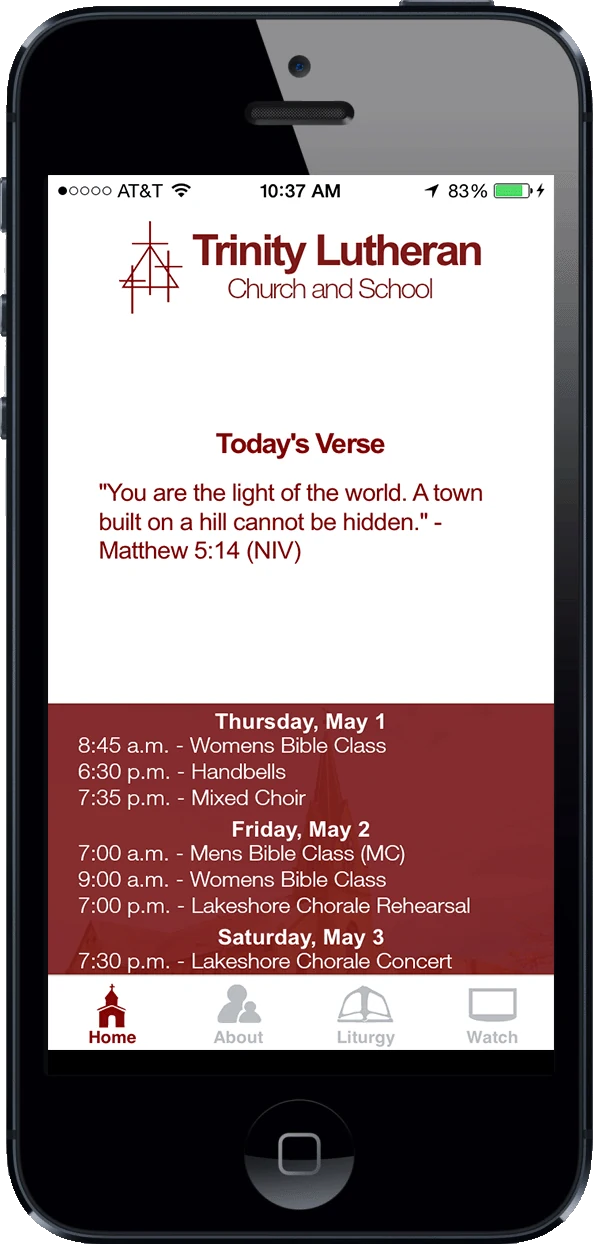
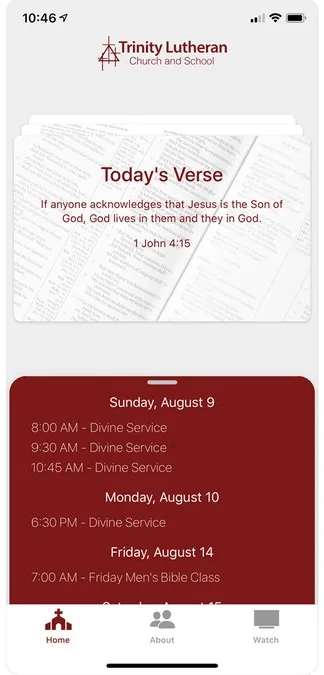
Trinity Lutheran Church in Sheboygan has had its own app since 2013, and I have built and looked after it for all thirteen years. Members use it to check service times, read the daily verse and watch Sunday services live. Most of the work since has gone into keeping it working as the technology it was built on was replaced.
Five sections · about a 5 minute read
The calendar came first.
The first commit, in October 2013, is an Adobe Flex project, with Adobe AIR turning it into iPhone and Android apps.
One requirement shaped the whole app: members had to see the church calendar without signing in to anything. The usual way to read a Google Calendar asks each person to sign in to Google first, and for this congregation that would have stopped most people at the first screen. So the church publishes its calendar publicly and the app reads it directly, with no accounts to create and nothing to keep signed in. That calendar is still the first thing on the home screen.
Three versions, two ground-up builds.
Version 1 was built on Adobe AIR. Once Adobe stopped supporting it, it was only a matter of time before the app stores stopped accepting it. None of the old code could be reused, so I wrote version 2 from scratch, keeping the screens and tabs almost exactly as they were.
- 2013
Version 1, in Adobe Flex. A daily verse, the week’s events, and four tabs: Home, About, Liturgy and Watch.
- 2020
Version 2, in Ionic and Angular. The same screens on entirely new code, plus a feed of recorded services from the church’s YouTube channel.
- 2026
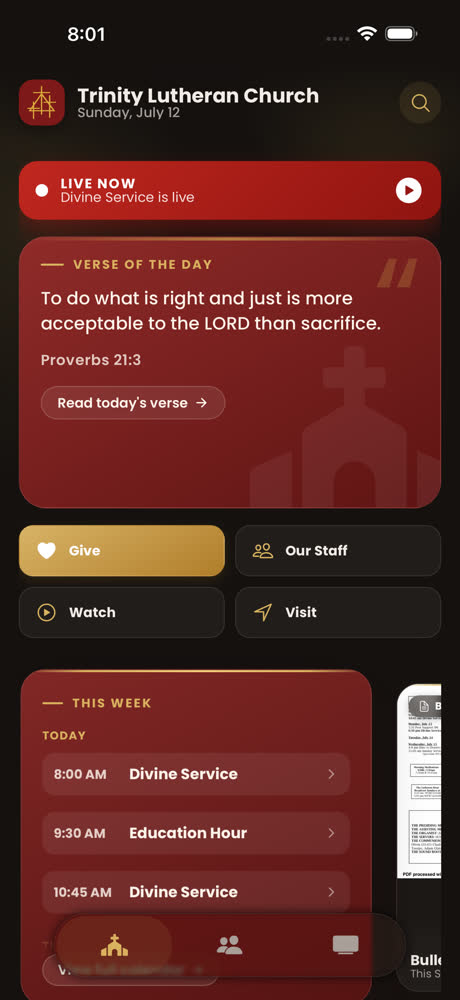
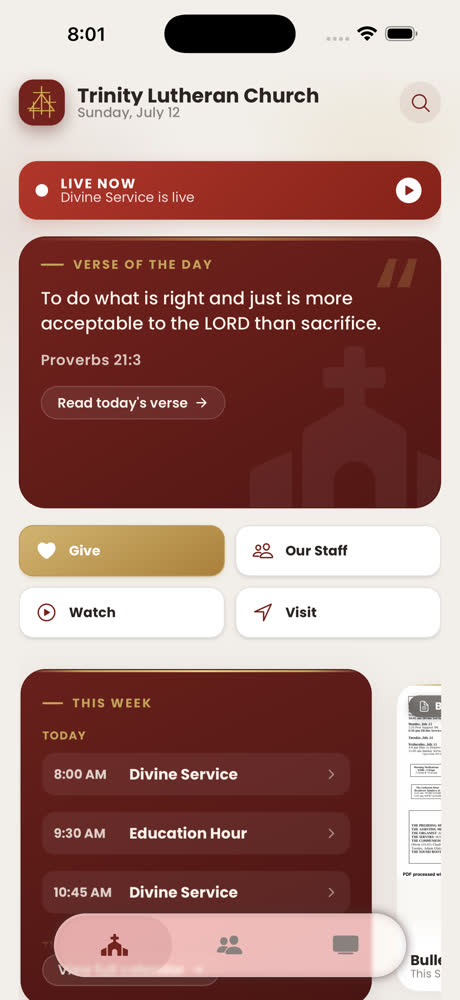
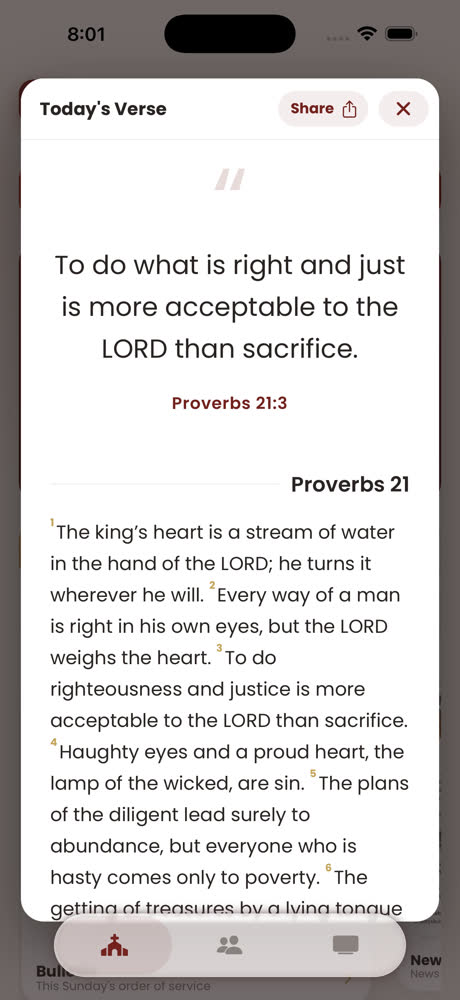
Version 3, still on Ionic. Built on version 2’s code rather than from scratch, with a redesign on top. Liturgy moved under About, leaving three tabs, and the week’s bulletin moved to the home screen, where people were already looking for it.
What version 3.0 looks like.
One feed for the live service
The live banner on Home and the listing under Watch come from the same feed, so they always agree on whether a service is on.
Search that reads inside the bulletins
Bulletins and newsletters are PDFs, and searching their file names finds almost nothing: a file called “Bulletin 7-13” does not mention the events inside it. The app reads the text inside each PDF, so searching “divine service” finds this week’s bulletin by what it says, and opening it highlights every match. Reading a PDF is slow, so the text is saved on the phone for seven days and opening search again is instant.
Year by year.
Two busy years, five quiet ones, a rebuild, then steady upkeep: 216 commits in all, and 2026 is the busiest year so far.
Bars show commits in each period, October 2013 to August 2026.
- 2013 – 2014
Version 1 in both stores
Forty commits across the first two years. The app learned to keep the calendar on the phone, so the week’s events still showed with no signal, and picked up support for the larger iPhone 6 screens.
- 2015 – 2019
Five quiet years
Seven commits in five years: an update for YouTube’s newer API, a bulletin page, fixes for new iPhones. The app worked and the church needed nothing more.
- February 2020
Starting again on Ionic
On February 12, 2020 I started over in Ionic. The new version took a year to fully replace the old code, in March 2021.
- 2021 – 2023
Keeping it current
Mostly upkeep: updating the framework underneath, and fixing the verse of the day and the YouTube feed when they broke. A November 2022 commit is titled “bump version final commit for a while?”, and 2023 has two.
- 2024 – 2025
Moving the video list to a server
In February 2024 the list of church videos moved out of the app and onto a small server job that checks YouTube and saves the result for every phone to read. The second hurdle below explains why. In 2025 the old video player plug-in was retired, and December’s version 2.6 updated the look for iOS 26.
- 2026
The busiest year
103 commits, more than any other year. Version 3.0 went out in late July with a redesigned home screen, light and dark modes, the live-service banner and search inside the bulletins. Version 3.0.2 followed in August.
Three hurdles along the way.
Three problems that held the app up, and what I did about each.
Getting videos to play reliably
Recorded services played through a plug-in that wrapped YouTube’s player. It was unreliable, and its makers eventually abandoned it.
I switched to YouTube’s own player inside the app. It won’t reliably play any video handed to it on the spot, so the app saves the video list ahead of time and only asks for ones it knows exist.
Over the YouTube limit in about three hours
Asking YouTube from every phone used up the day’s allowance in about three hours. The more people used the app, the sooner it broke for everyone.
A server job asks YouTube a few times a day and saves the answer for every phone to read, so the cost no longer grows with the number of people using it.
Live screens that could only be tested on Sunday
The church streams once a week, so the live banner and Watch screen only had something to show on a Sunday morning.
A development switch puts the app into its live state on any day, so problems get fixed during the week instead of during a service.