Putt Panic app icon

Putt Panic!

Slide the course into shape, then putt

Jonathan Christian

Holes108
Version1.0.1
ReleasedSep 2026
DeveloperSolo
CategorySports
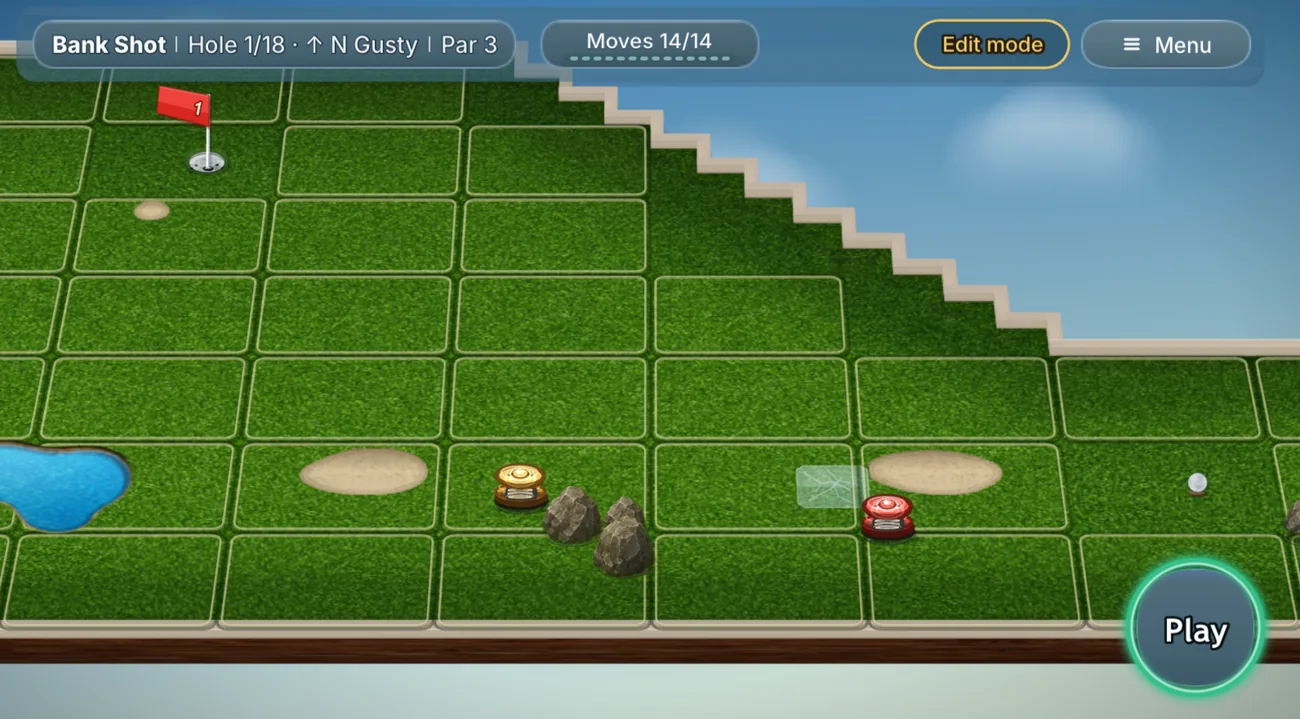
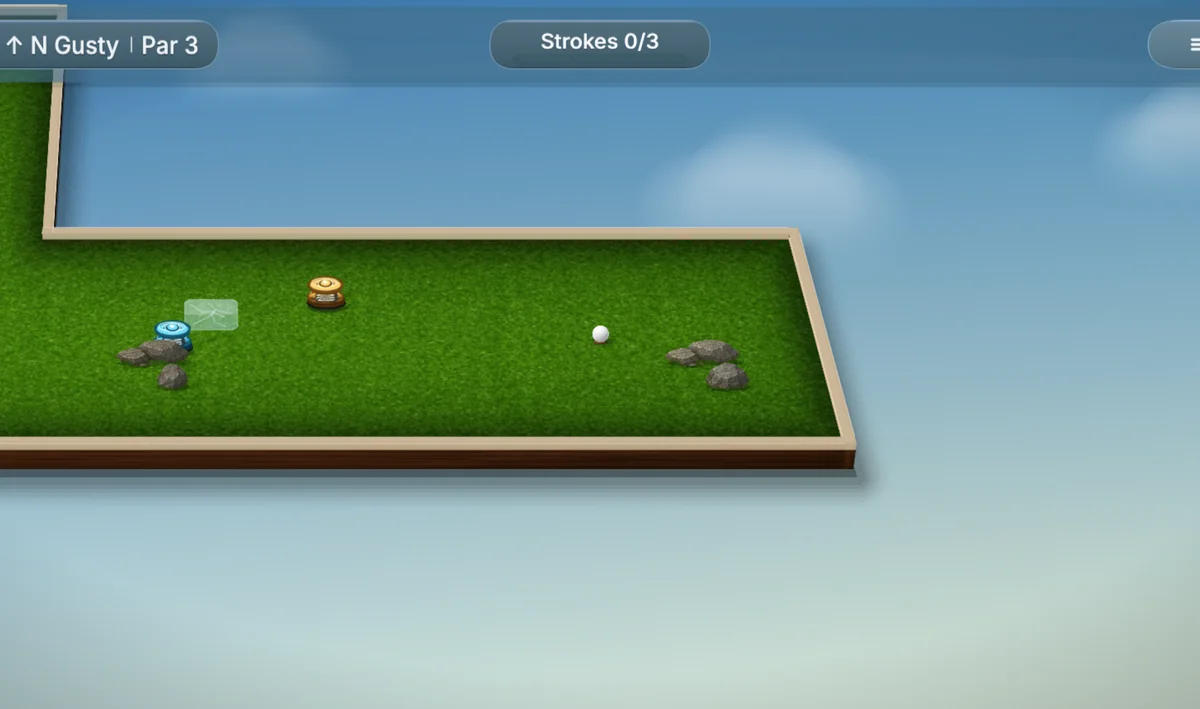
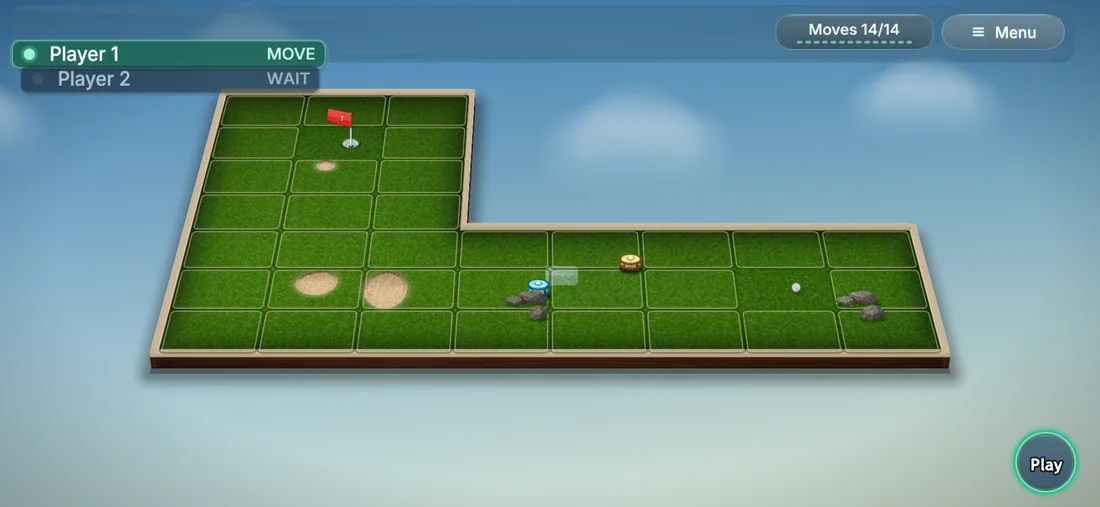
A Putt Panic hole in edit mode: the tile grid, a flag, a pond, sand and rocks, ready for tiles to be slid into place before the putt. A Putt Panic hole A wider course Multiplayer Daily challenge

How it got made

Putt Panic started as a sliding-tile puzzle with a golf ball in it, sketched in ActionScript in 2013. Getting it to 108 holes and multiplayer took a scrapped first version, a restart from nothing, and a renderer I threw away.

Six sections · about an 8 minute read

ActionScript · Flash Player · 2013

Sliding tiles that build the hole.

I first attempted this in 2013, in ActionScript for Flash Player. It has one mechanic: you slide tiles around to assemble a course, and the course you assemble is the hole you then putt on. Every hole is two phases: you build it, then you putt.

Flash Player was discontinued in 2020, and my ambition for the game died with it. The prototype was a dead end and I had no reason to rebuild it on something else.

What changed was the tooling. Phaser and TypeScript made a game like this something one person could build and ship on their own. So rather than start on a new idea, I went back to the one I had abandoned. Starting again meant a different stack — twice, as it turned out.

The lane from ball to cup is broken. Sliding the third tile into place completes it, and then you putt.

It took two runs at it.

The git history starts on 29 April 2026. Before that I built a small test in 2023 to learn Phaser, then a full version over Christmas 2025, which I scrapped and restarted from nothing in April.

March 2023 Before either real attempt, I built this to learn Phaser: a club, a ball and someone else’s photograph of a golf course. The swing worked but the hit never registered, and I spent most of it pulling the physics engine apart trying to get the club to touch the ball. The shipped game uses physics I wrote myself because of this. The checkerboard is where the sky hadn’t been drawn yet.
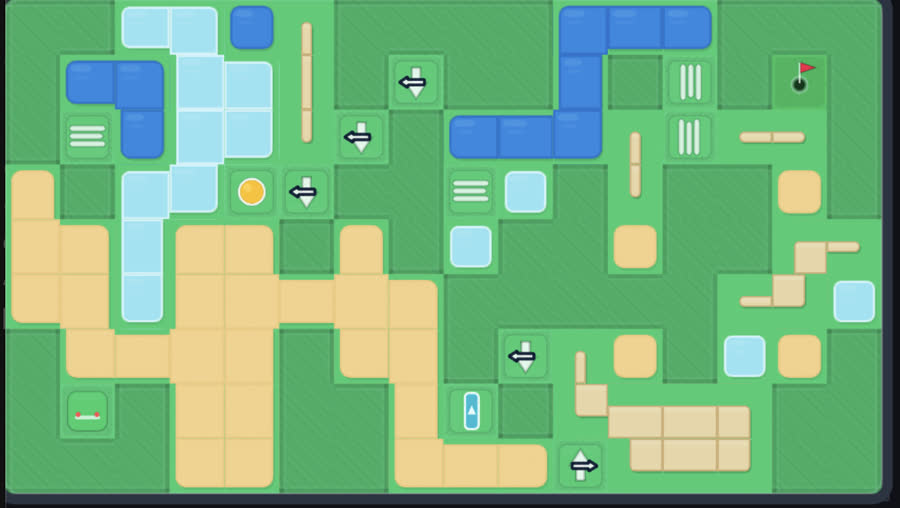
A flat 2D top-down mini-golf board: green tiles, blue water, tan sand, arrow tiles marking which rows and columns slide.
December 2025 Flat 2D in Phaser, and already called Putt Panic. Water and sand are in, and there is a putter, a shot counter and an early version of edit mode. The mechanic worked, but you slid tiles one at a time and they were small enough that editing was fiddly on a phone. The bigger problem was that it looked like a puzzle game, not a golf game, and no amount of tuning was going to change that. Dec 30, 2025
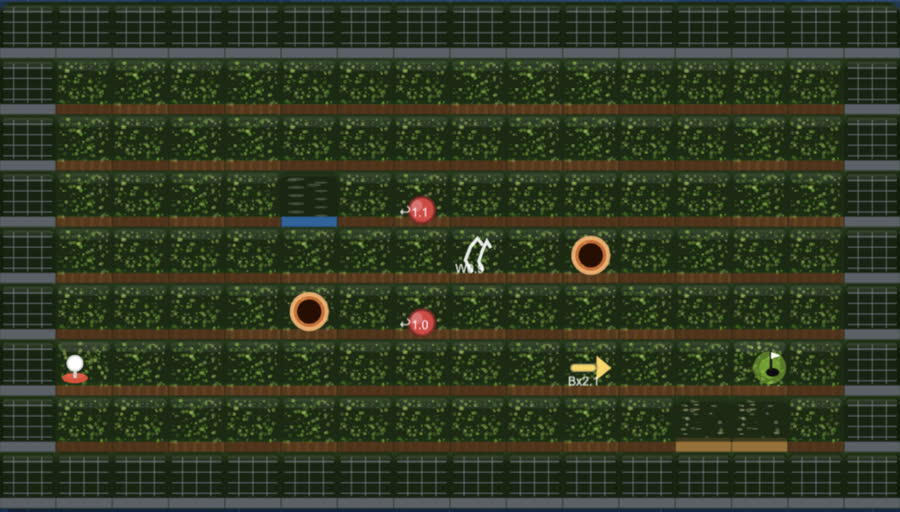
A darker top-down prototype titled Row Slider Golf, with textured rows separated by wooden dividers, a tee, a cup and portal markers.
April 2026 Started over as "Row Slider Golf". Dragging a whole row at once, rather than nudging single tiles, made edit mode feel like a real move instead of fiddling. A Generate button produced random courses, so I could test against more than the handful I would draw by hand. That generator is the one that ended up making all 108 campaign holes. Apr 25, 2026
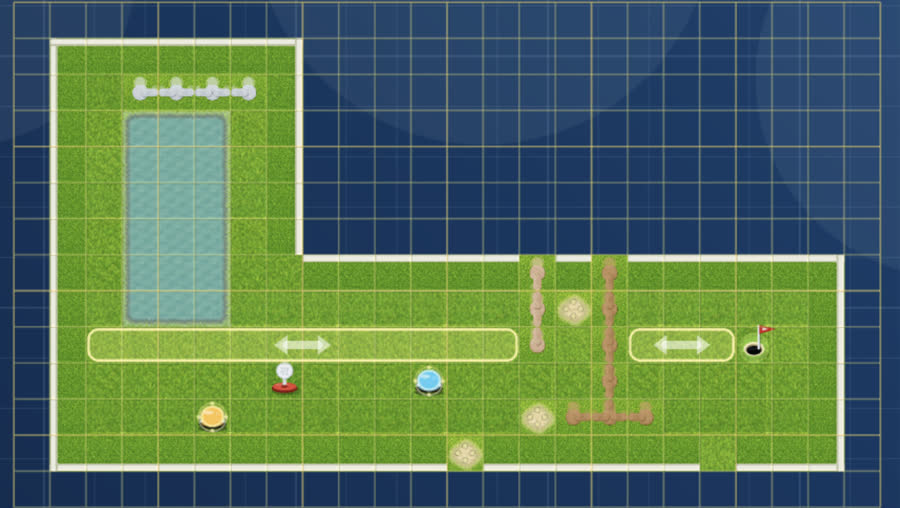
An L-shaped course on a blueprint grid, titled Putt Panic, in edit mode on hole 1 of 18, with draggable lane handles marked by double arrows.
Two days later Renamed, 18 holes, boards that are no longer rectangles, and lanes you drag by a handle. Bumpers, sand and ice move with the turf they sit on rather than staying put. Sliding a row carries its obstacles with it, so one slide changes the hole rather than just its shape. Apr 27, 2026

What it looks like, and how it plays.

The look I was aiming forgenerated reference
A generated concept image of an isometric mini-golf course with cream rails, a dark wood skirt, grass tiles, ponds and flags.
What the finished game looks likeJuly 2026 build
The shipped game rendered in the same isometric style: cream rails, wood skirt, textured turf, bunkers and a flag.

I made this target image before I could build anything that looked like it, then built towards it: the cream rails, the wood skirt beneath them, the tile seams, the pond shapes.

Every hole has two modes. In edit mode you slide whole blocks of tiles into place, and the bumpers, sand and ice move with them, until there is a route from the tee to the cup. In play mode you take a single stroke down that route. You get a limited number of slides in edit mode before you have to putt. Both clips are the real game, captured frame by frame off the build
Apr 29 – Sep 14, 2026

Month by month.

June is when it stopped being a sandbox and became a game that could be finished. July is when it became something shippable, and August and September went on getting it into the stores.

Commits per month

7Apr
34May
283Jun
265Jul
190Aug
42Sep
Step 1
Apr 29 · initial commit

A playable board, nothing around it

The first commit already had water, walls, sand and sliding tiles, because I had built most of it twice before. There was no menu or title screen, just a playable board in a browser tab. I wanted sliding and putting to work properly before building menus and screens around them.
Step 2
Early May

Making it a phone game

In May I turned the browser prototype into a phone app: landscape lock, scaling for iPhone screens, on-screen controls, an icon, a splash screen and a first-run tutorial. The board only works in landscape, so the game locks to it, and every touch is translated to the right spot on the board before the ball reacts.

Step 3
May

Multiplayer across two phones

Multiplayer runs on Firebase, Google’s real-time database, with both phones playing the same hole. Courses are not always rectangles, so sending the other phone the size of the board is not enough: each phone sends a full map of which squares exist. Send only the size and the other player ends up on a different hole.

Step 4
June

108 generated holes

I did not draw the campaign by hand. All 108 holes come from the generator, with themes that rotate, harder holes at 9 and 18, par medals and a set of rival scores to beat. Because they are generated, changing a rule updates all 108 at once instead of needing 108 edits by hand. The generator has automated tests, since one bad rule change could quietly make holes unplayable.

Step 5
June

The renderer I threw away

The courses look 3D. On desktop I ran Three.js, a 3D graphics library, alongside Phaser and it was fine. On iPhones the screen went white mid-game: iOS limits how much graphics memory one web app can use, and two rendering engines did not fit under that limit. A newer phone would not have helped. Tracking down that cause was its own hurdle, the first of the four further down.

So I took Three.js out of the running game. On June 30, in 50 commits, I replaced it with a 2D drawing layer inside Phaser that paints the board from 3D views worked out in advance. Three.js still produces those views, but when the game is built rather than while you play.

Step 6
July

A menu that runs on the real clock

The menu sky follows the real time of day, from dawn to dusk, with its own lighting for each campaign cup. The windmills turn on the same clock, so their blades are always where you expect them to be. That makes them an obstacle you can time your shot against, not just scenery that moves.

Step 7
July

An AI that spent the player’s moves

The AI opponent had two problems. Both players drew from one shared pool of slides, so a counter showing “Moves 7/7” really gave you about four. Each player now has their own allowance, and the counter shows both.

The AI also chose its slides at random without looking at the result, so it was not really playing. It now scores every option and takes the best one. Tested on all 108 holes, that beat random picking on every one, and it fits inside the pause the AI already takes to “think”.

Step 8
July

Measuring the slide budget

In edit mode you get a set number of slides before you putt. That number was supposed to go up on holes that started more scrambled. I measured it across 660 generated courses and it almost never did: 657 of 660 got the same 14 slides. Most of them were wasted. The first slide did 75% of the work, and on a typical hole nothing improved after the third.

Strokes saved by each slide, on average, across 660 courses
1234567+

So the campaign now gives you 14 slides on the first hole and brings it down to 7 by the last. I also tried five changes to where obstacles go. None made a measurable difference, so I left them out.

Step 9
July

Rounding out the game

The last stretch added Speed Golf, wind on both free-play and campaign courses, per-hole leaderboards, a rebuilt results screen and a redesigned obstacle guide. In-app purchases are set up but not finished, so the shop stays hidden rather than launching one that cannot take payments.

Step 10
August – September

Getting it into the stores

August and September went on getting it through the stores. I re-shot the store screenshots, re-encoded the preview videos until App Store Connect accepted them, and declared export compliance so TestFlight would stop holding builds. In the game, weather became a roll per hole, with real rain, and the rival golfers got their own personalities and replays played out on the real board.

Four hurdles along the way.

Four problems that held the build up, and what I did about each.

Rendering the course in 3D on a phone

The problem

Courses went white mid-game with no error. iOS was shutting the whole app down for using too much memory, and never told the game anything was wrong.

What I did

I found the cause in the phone’s own system log. From June 19 to June 30 I lowered the memory limit five times, added a crash log to catch every shutdown, and cut how much each frame held in memory. None of it was enough, which is what led to the renderer change in the timeline.

How big a course could be

The problem

The biggest courses were 48 by 36 tiles, too much for an iPhone to draw in one go.

What I did

On June 29 I cut them to 40 by 28: the same shapes with fewer tiles. That stopped the crash but lost detail, so the next day I settled on 44 by 32, a size an iPhone 15 Pro could handle, and re-made the campaign courses at that size.

The wooden rails

The problem

The rails frame every hole, so they decide whether the board looks finished or like a prototype. Getting them right took 38 commits over ten weeks, including a detour to a hedge and back.

What I did

When the 3D engine came out, I redrew every rail in 2D to match the old look, 13 commits on July 1 alone: square corners instead of angled ones, wood showing on the diagonal edges, an oak grain.

Touch a tile, lose the board

The problem

Tapping a tile made every other movable block disappear. The game hid the blocks you weren’t pointing at, which works with a mouse but not on a touchscreen, where you can’t point without tapping.

What I did

The other blocks now stay on screen, just dimmed, so the first tap no longer hides the pieces you are about to move.

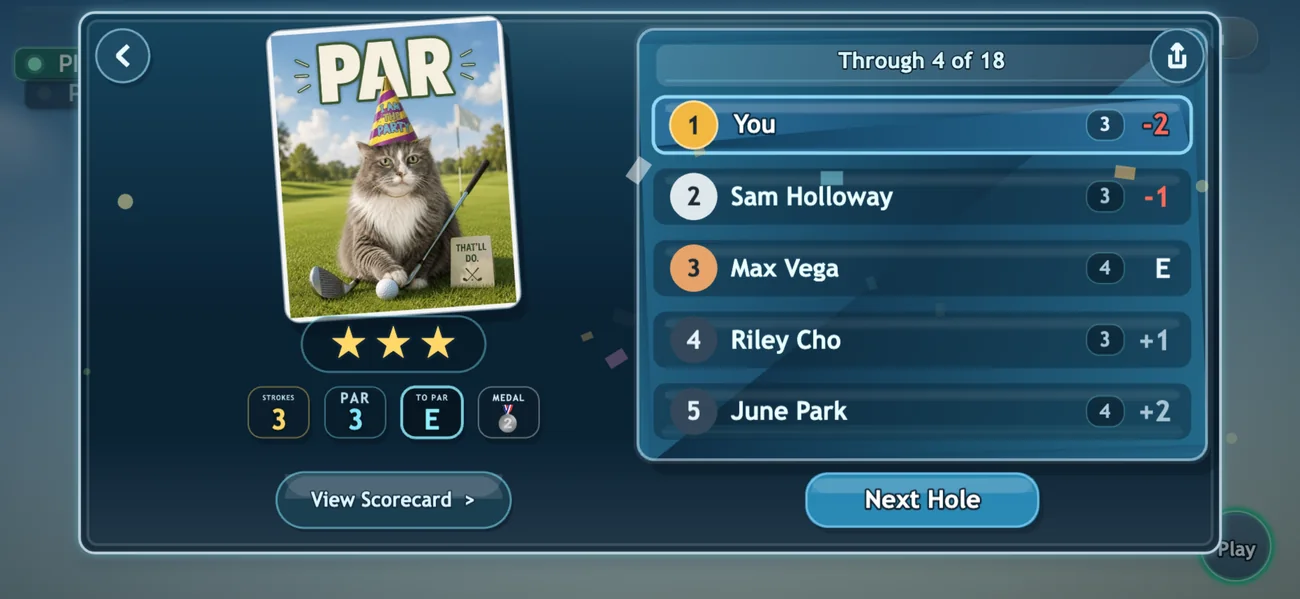
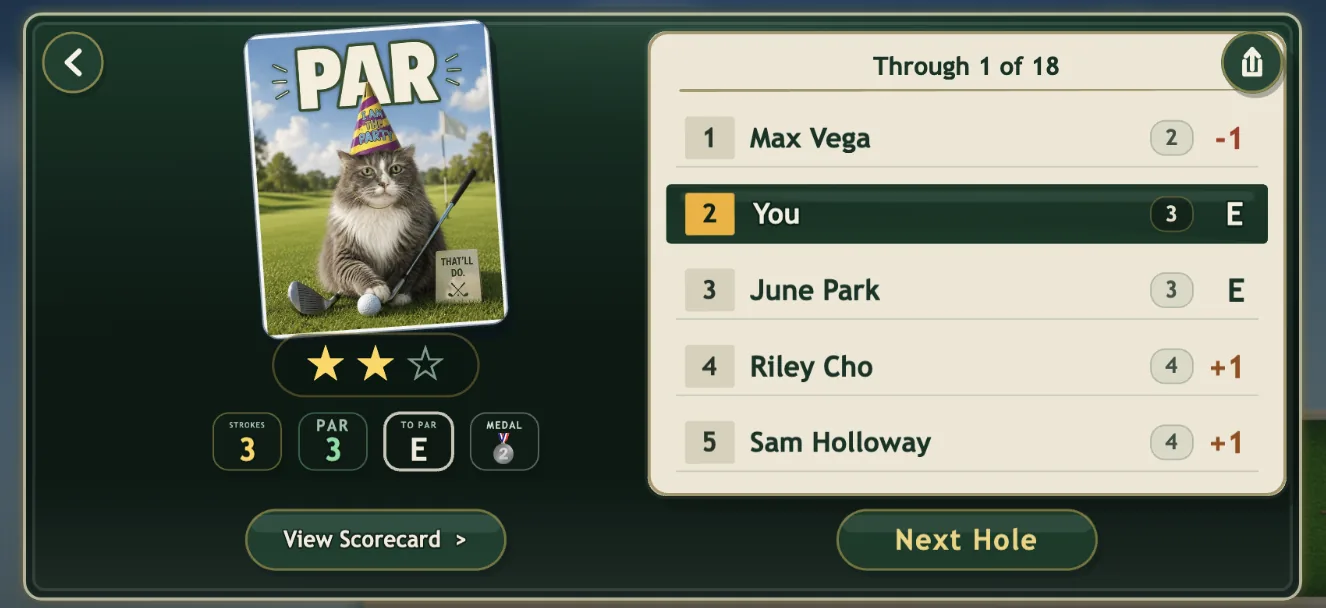
The Putt Panic results screen after hole 1: a PAR card showing a grey cat in a party hat holding a putter, two of three stars, and a green scorecard with the player tied for second.

Shipped, September 2026.

From a 2013 Flash idea to the App Store and Google Play.

13
years, idea to ship
821
commits
108
campaign holes

Thank you to everyone who played it in beta and told me what was broken. And yes, that is my cat Toby on the scorecard.